Plug & play
Xlite
USB pendrive only. No hub. No internet.
- X24Play app on the TV
- Copy ads to a pendrive, plug in, done
- Perfect for a single shop or counter

Digital signage for Android TVs
Every screen in the store selling today's offer.
Turn any TV into a money-making ad screen — from a single pendrive to hundreds of screens across cities and countries.
How it works
One small app on any Android TV. No special hardware, no complicated setup.
Copy to a pendrive, push from the hub PC, or upload from your phone or PC — depending on your plan.
Loop, schedule, pause or swap content whenever you want. Your screens, your rules.
Three ways to play
Plug & play
USB pendrive only. No hub. No internet.
Local network
One hub PC runs every screen in your store.
Anywhere in the world
Hub + X24cloud. Screens in any city or country.
XPromax + X24cloud
See it work
Upload once, choose screens, press publish. Watch what happens.
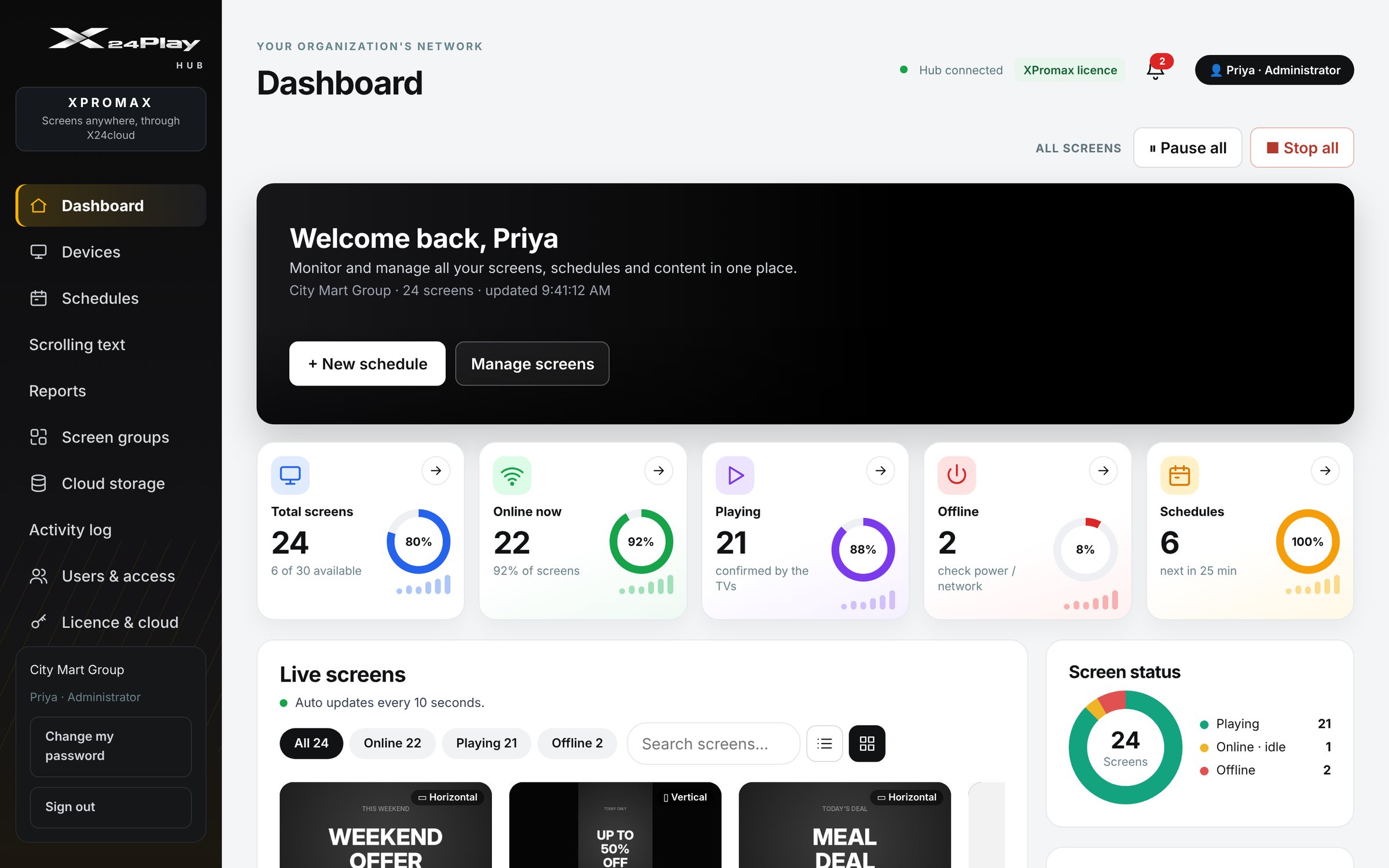
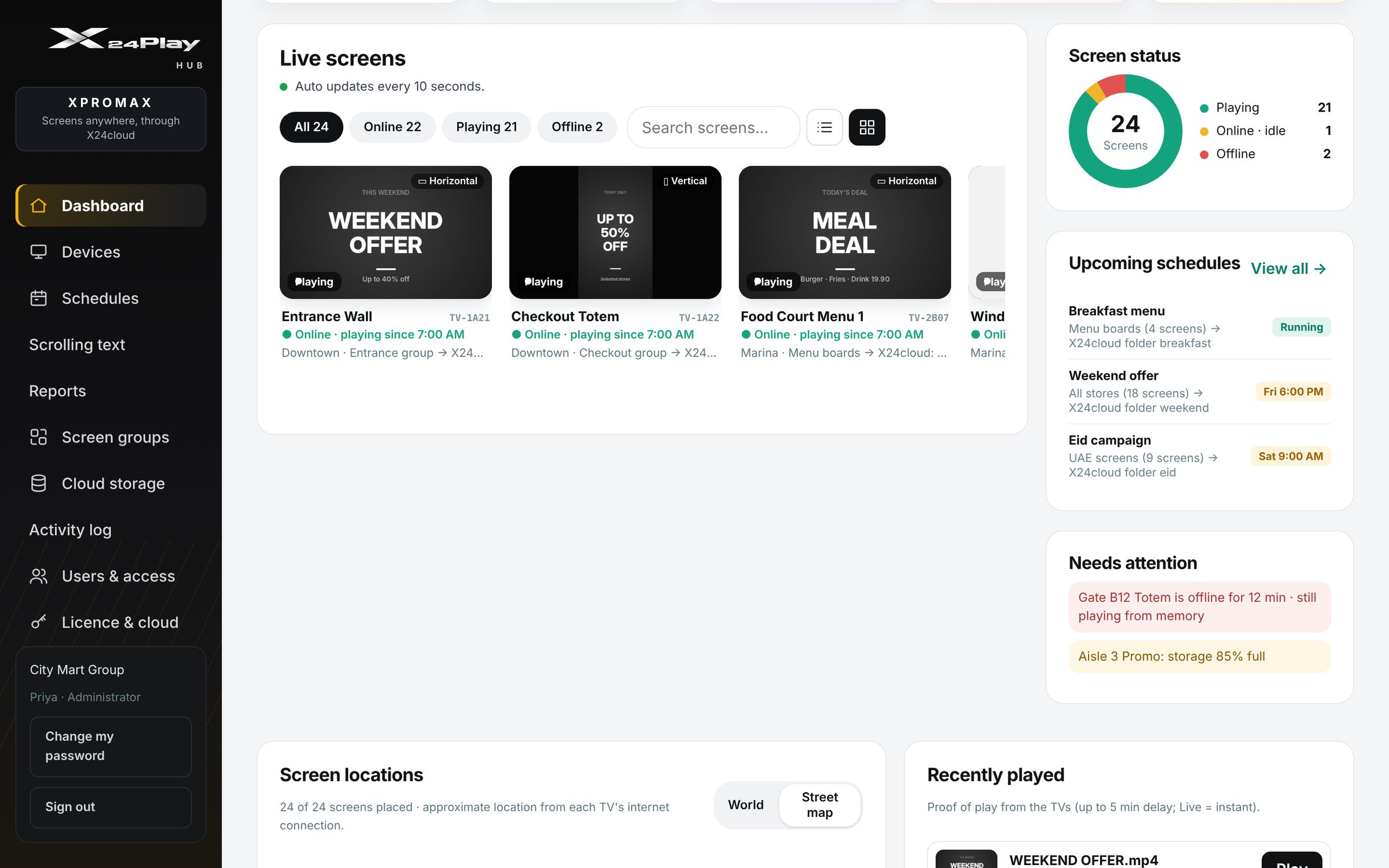
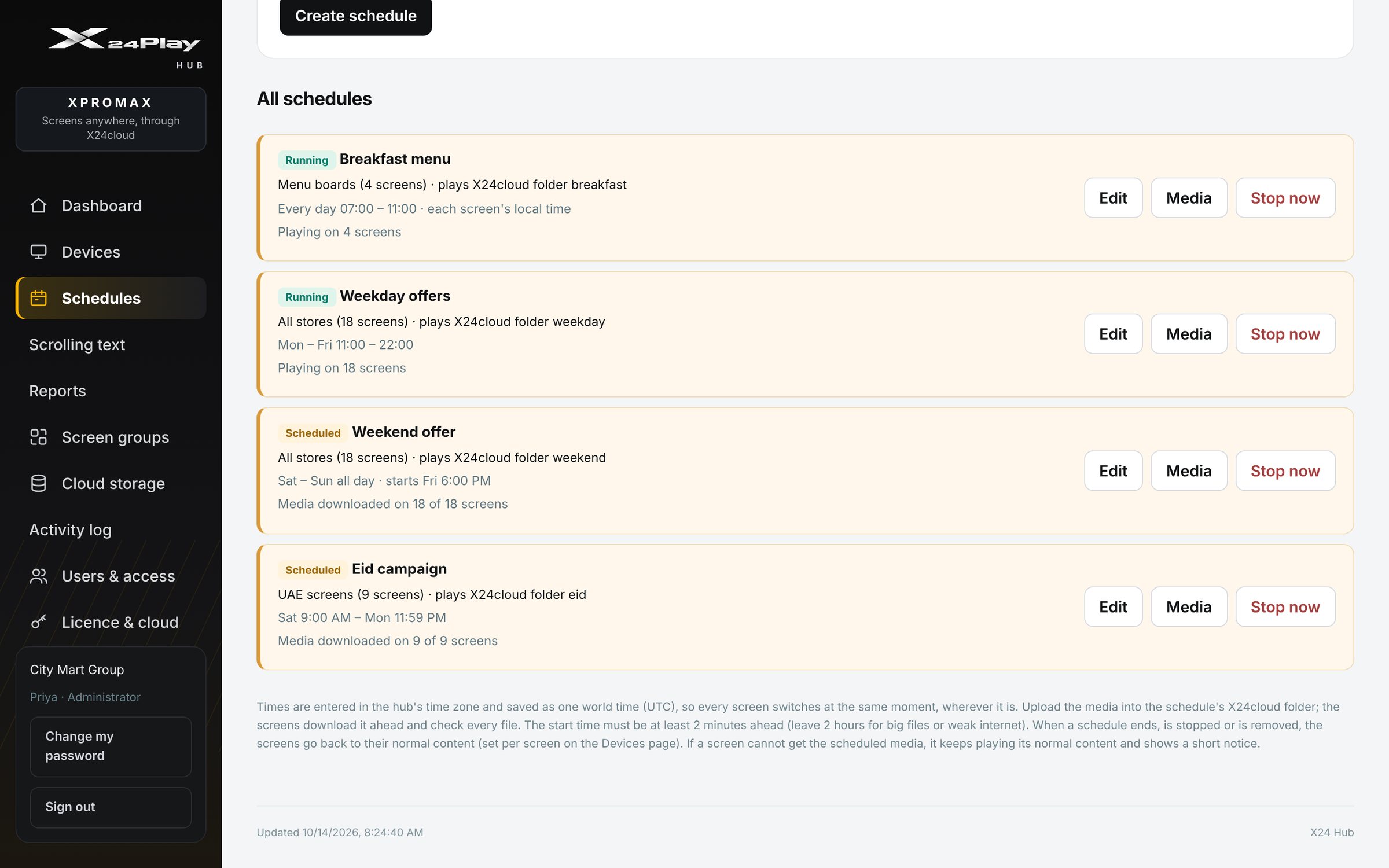
The real X24Play Hub
This is the actual dashboard your team will use. Sample data shown.
Runs on its own
Breakfast menu in the morning, lunch at noon, dinner at night, without anyone touching the screen.
Internet down? Screens keep playing from memory for up to 3 days, then sync the moment they're back online.
Compare
| Feature | Xlite | Xpro | XPromax |
|---|---|---|---|
| Best for | Single screen / shop | Many screens, one site | Many sites, any country |
| How content gets in | USB pendrive | Hub PC over LAN | Phone or PC upload via X24cloud |
| Hub PC | — | ✓ | ✓ |
| Internet needed | No | No (store LAN) | Yes (plays offline up to 3 days) |
| Playlists | — | ✓ | ✓ |
| Screen groups | — | ✓ | ✓ |
| Remote play / pause | — | ✓ | ✓ |
| Schedules | — | ✓ | ✓ |
| Reports | — | ✓ | ✓ Proof of play |
| Monitor screens from your phone / PC | — | — | ✓ Anywhere |
| Live status & screen map | — | — | ✓ |
| Remote revoke | — | — | ✓ |
| Screens in other cities / countries | — | — | ✓ |
Custom scrolling text
Add a scrolling message over your ads in seconds, on one screen, a group, or every screen you have. Try it:
Works wherever your screens are
Using X24Play? Tell us how it's going.
Use cases
Promote offers at the shelf, window and checkout.
Menu boards and daily specials that change on schedule.
Sell ad slots to tenants and brands — with proof of play.
Useful info and services while people wait.
Lobby welcome screens, classes and promotions.
One brand message across every branch, every country.
FAQ
X24Play runs as an app (APK) on Android TVs. Not sure about your TV model? Ask us in the demo and we'll check it for you.
Not for Xlite (pendrive) or Xpro (store Wi‑Fi / LAN). XPromax uses X24cloud to reach screens anywhere, and keeps playing offline for up to 3 days if the connection drops.
The hub is a PC on your network that manages your screens — playlists, groups, play / pause, schedules and reports. It's used in Xpro and XPromax.
Yes, with XPromax. Upload and monitor from your phone or PC, see live status on a screen map, get proof of play, and revoke content remotely.
One screen and simple updates — Xlite. Many screens in one place — Xpro. Screens across locations — XPromax. Book a free demo and we'll recommend the best fit.
Pricing depends on your screens and plan. Book a free demo and we'll send a quote that fits your setup.
Trusted by
Free demo
A quick live walkthrough of Xlite, Xpro and XPromax — and a clear recommendation for your business. No cost, no obligation.